

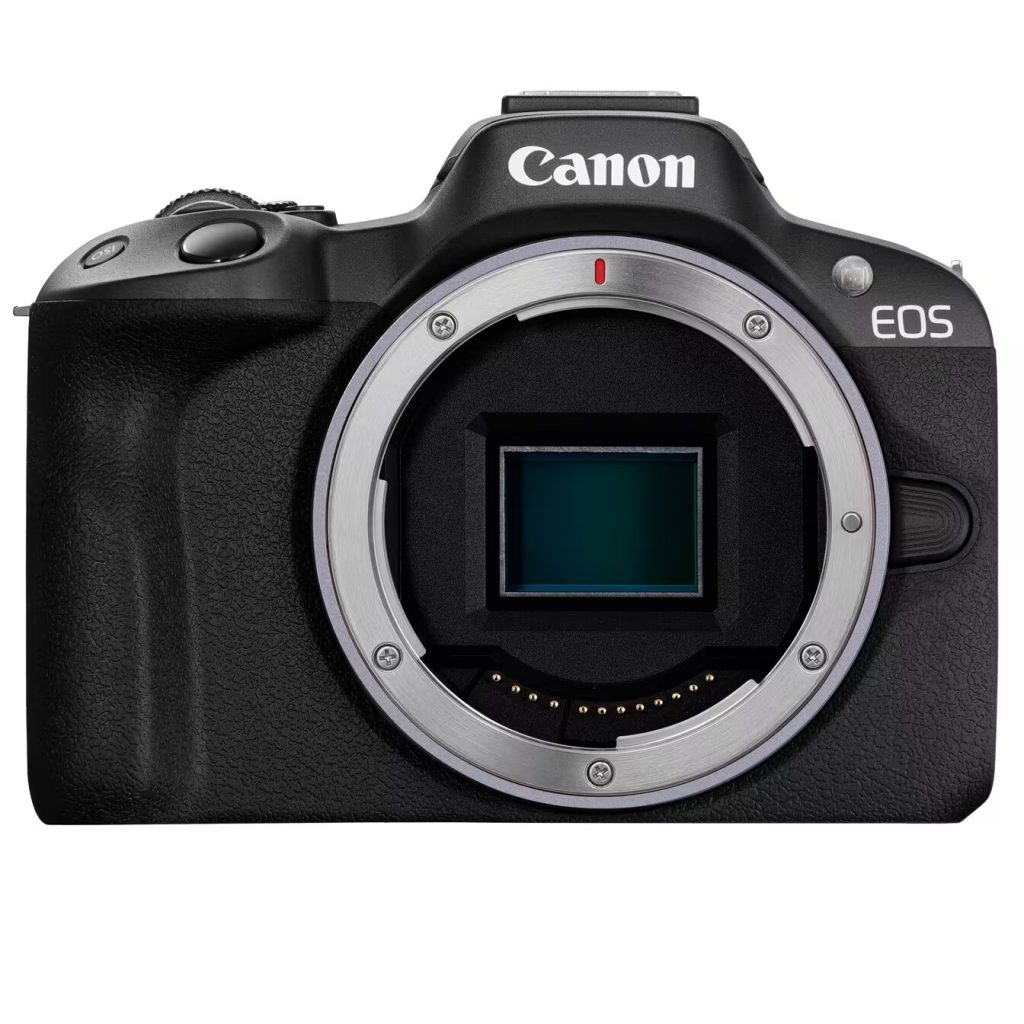
Important: This page covers the original Canon EOS R50, not the EOS R50 V. Specs below are intended as a practical spec sheet and should be cross-checked against Canon’s current specification and manual pages if you are buying based on one exact feature.
If you want the quick answer first, the Canon EOS R50 is a 24.2MP APS-C RF-mount mirrorless camera with a DIGIC X processor, Dual Pixel CMOS AF II, 6K-oversampled 4K up to 30p, a vari-angle touchscreen, a built-in EVF, and a single UHS-I SD card slot. The strong points are autofocus, compact size, and clean beginner-friendly 4K. The main limits are no IBIS, no Canon Log, no 4K60, no dedicated headphone jack, and a relatively shallow RAW burst buffer.
Canon EOS R50 specs at a glance
| Sensor | 24.2MP APS-C CMOS | Strong entry-level image quality, not full-frame |
| Processor | DIGIC X | Modern Canon autofocus and general responsiveness |
| Mount | Canon RF mount | RF and RF-S native, EF and EF-S via adapter, no EF-M |
| Autofocus | Dual Pixel CMOS AF II | One of the R50’s biggest strengths for beginners |
| Burst speed | Up to 12 fps electronic first curtain / 15 fps electronic | Headline speed is good, but RAW depth is not deep |
| Video | 4K up to 29.97p / 25p / 23.98p, oversampled from 6K | Useful 4K30, but no 4K60 on the original R50 |
| HDR / Log | HDR PQ yes, Canon Log no | Do not confuse HDR PQ with Canon Log |
| Storage | 1x SD / SDHC / SDXC, UHS-I | Buy UHS-I U3 / V30 cards, not UHS-II for speed gains |
| Ports | USB-C, micro-HDMI, 3.5mm mic input | Creator-friendly enough, but no dedicated headphone output |
| Stabilization | Lens-based / digital movie IS | No sensor-shift IBIS |
| Screen / EVF | Vari-angle touchscreen, 2.36M-dot EVF | Strong beginner/travel usability |
| Weight | About 375g with battery and card | Very compact interchangeable-lens camera |
Canon R50 Guide: See all Canon EOS R50 setup and gear answers in one place.
Table of contents
What the key specs mean
The Canon EOS R50 specs are appealing because they combine a modern autofocus system, clean oversampled 4K 30p, RF-mount lens compatibility, and a genuinely compact body. That makes the original R50 easy to understand as a beginner-friendly Canon mirrorless camera that is stronger than the cheapest entry bodies without pretending to be a pro workhorse.
The tradeoffs matter just as much. The original R50 has no IBIS, no Canon Log, no 4K60, no dedicated headphone jack, and only a single UHS-I SD card slot. Those are not deal-breakers for everyone, but they do define where the camera sits.
Full Canon EOS R50 specifications
- Sensor: APS-C CMOS, approx. 22.3 × 14.9 mm
- Effective resolution: 24.2 MP
- Total pixels: 25.5 MP
- Processor: DIGIC X
- Mount: Canon RF mount
- File formats: JPEG, HEIF, RAW (.CR3), C-RAW
- Wireless: Wi-Fi 2.4 GHz and Bluetooth 4.2
- Battery: LP-E17
- Body weight: approx. 328g body only, approx. 375g with battery and card
Video specs and limits
- 4K UHD: up to 29.97p / 25p / 23.98p
- 4K generation: oversampled from 6K
- Full HD: up to 59.94p / 50p
- High Frame Rate Full HD: up to 119.88p / 100p
- High Frame Rate audio: no audio
- Normal movie duration: up to 1 hour per movie
- High Frame Rate duration: up to 15 minutes per movie
- HDR PQ: yes
- Canon Log: no
The important plain-English version is simple: the original R50 gives you good-looking oversampled 4K 30p, but it is not a 4K60 or Canon Log camera. It also should not be sold as an unlimited long-form production body just because the normal movie limit can reach one hour.
More video detail: Canon R50 video specs and Canon R50 recording limit.
Storage and SD card support
The safe storage wording for the original Canon EOS R50 is single-slot SD / SDHC / SDXC with UHS-I support.
- Card slot: 1
- Card types: SD / SDHC / SDXC
- Supported interface: UHS-I
- Simple buy recommendation: SDXC UHS-I U3 / V30 for general 4K and everyday shooting
A UHS-II card may physically fit and work in fallback mode, but the original R50 should still be treated as a UHS-I camera. In other words, do not pay extra for UHS-II speed claims expecting the body to use the faster bus.
More card help: What SD card for Canon R50? and Does Canon R50 support UHS-II SD cards?
Ports, audio, and monitoring
- USB-C: supports communication, charging, and camera power supply
- HDMI: micro HDMI out (Type D)
- Mic input: yes, 3.5mm stereo mini jack
- Headphone jack: no dedicated headphone output on the original R50
This is one of the more useful spec clarifications because the original R50 is creator-friendly enough for an external mic, USB power, and a flip screen, but not built around full on-camera audio monitoring.
Related: Does Canon R50 have a mic input? and Does Canon R50 have a headphone jack?
Autofocus and shooting speed
- Autofocus system: Dual Pixel CMOS AF II
- Subject detection: people, animals, and vehicles
- Burst speed: up to 12 fps electronic first curtain, up to 15 fps electronic
- RAW burst caveat: headline fps is stronger than the R50’s deeper sustained RAW-action usefulness
This is where the R50 looks stronger than its small size suggests. The autofocus system is one of the camera’s real strengths. The caution is that headline burst speed is not the same thing as deep RAW action performance.
Size, battery, screen, and EVF
- Dimensions: approx. 116.3 × 85.5 × 68.8 mm
- Weight with battery and card: approx. 375g
- Battery: LP-E17
- Rated shots: about 440 with LCD, about 310 with EVF
- Screen: vari-angle touchscreen
- EVF: 0.39-inch OLED, approx. 2.36 million dots
These specs explain a lot of the R50’s appeal. It is a genuinely light interchangeable-lens camera that still gives you an EVF and a flip screen, which is a big deal for beginners, travel users, and casual creator work.
Lens compatibility
- Native lenses: RF and RF-S
- Adapter path: EF and EF-S via Canon EF-EOS R adapters
- Not compatible: EF-M lenses
The practical system takeaway is that the R50 is a clean APS-C entry into Canon’s current RF system. That matters for buyers moving up from older M50 or M50 Mark II bodies, because an EF-M kit does not migrate directly.
Main compromises the specs reveal
- No IBIS: stabilization is lens-based or digital movie IS, not sensor-shift
- One UHS-I card slot: fine for casual use, less reassuring for paid work
- No Canon Log: HDR PQ is not the same thing
- No dedicated headphone jack: audio monitoring is limited
- No 4K60: the original R50 tops out at 4K30
- Shallow RAW burst depth: fast headline fps does not mean deep action-camera buffer performance
- No weather-sealing claim: this is not framed like a tougher semi-pro body
So the honest read is that the Canon EOS R50 gets you a lot of modern Canon goodness in a very small body, but it is still an entry-level hybrid camera with clear limits.
Canon EOS R50 vs EOS R50 V / R100 / R10 quick clarifier
If you are comparing spec sheets, keep the model lines straight:
- EOS R50: the original small APS-C RF camera covered on this page
- EOS R50 V: a different, more video-focused variant, so do not mix its features into this page
- EOS R100: the cheaper, more stripped-back entry option
- EOS R10: the more advanced APS-C step-up body
This matters because copied retailer tables and loose summaries can blur these lines and create wrong expectations around cards, ports, and video features.
FAQ
What sensor does the Canon EOS R50 have?
The Canon EOS R50 has a 24.2MP APS-C CMOS sensor.
Does the Canon R50 shoot 4K?
Yes. The original R50 shoots 4K UHD up to 29.97p / 25p / 23.98p, oversampled from 6K.
Does the Canon R50 support UHS-II SD cards?
The safer practical answer is to treat the original R50 as a UHS-I camera. A UHS-II card may physically work, but you should not expect UHS-II speed benefits from the body.
Does the Canon R50 have a mic input?
Yes. The original R50 has a 3.5mm external microphone input.
Does the Canon R50 have a headphone jack?
No dedicated headphone output is typically listed for the original EOS R50.
Does the Canon R50 have IBIS?
No. The original EOS R50 does not have sensor-shift in-body image stabilization.
Is the Canon R50 full-frame?
No. The original Canon EOS R50 uses an APS-C sensor, not a full-frame sensor.
What is the Canon R50 recording limit?
Canon states up to 1 hour per normal movie and up to 15 minutes per High Frame Rate movie, with internal temperature still affecting real recording availability.
More Canon R50 help: Back to the Canon R50 Guide
