

Canon R7 video specs (modes, limits, and card requirements)
This page is based on Canon’s EOS R7 Advanced User Guide section for Movie Recording Size. It focuses on real workflow constraints: movie modes available, recording time limits, 4GB file behavior, and the card reliability advice Canon gives.
Canon R7 Guide: See all Canon EOS R7 setup + gear answers in one place.
Table of contents
Movie recording size (Canon manual)
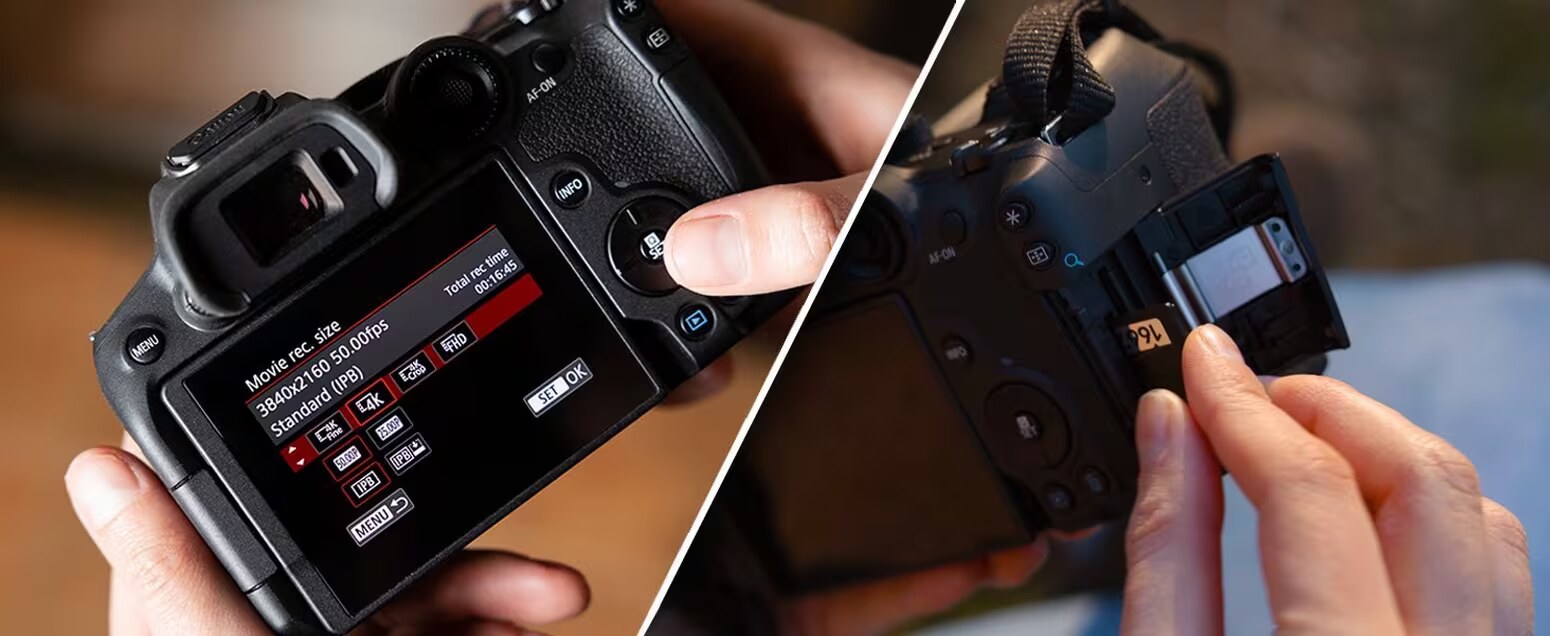
Canon lets you set recording size, frame rate, and compression in [: Movie rec. size]. Frame rate follows the [: Video system] setting (NTSC/PAL).
Manual: Movie Recording Size (UG-04_Shooting-2_0040)
Image area + digital IS crop
Canon notes that movie image area varies by recording-size setting, and enabling Movie digital IS crops the image further around the center.
Manual: Image Area — UG-04_Shooting-2_0040
Cards that can record movies (Canon’s reliability advice)
- Use high-performance cards with writing speed sufficiently higher than the bit rate.
- Test cards by recording a few movies to confirm your chosen mode records correctly.
- Before recording 4K movies: Canon says to format cards using [Low level format].
Manual: Cards That Can Record Movies — UG-04_Shooting-2_0040
Movie files exceeding 4GB (SDHC vs SDXC)
If a Canon R7 movie goes over 4GB, the camera may split it into multiple files depending on the card format.
- SDHC (FAT32): files are split at 4GB into multiple movie files.
- SDXC (exFAT): movies can be saved as a single file even if they exceed 4GB.
That is normal file-management behavior, not usually a recording fault. In real use, the footage should still import and edit as parts of the same recording session.
Manual: Movie Files Exceeding 4 GB — UG-04_Shooting-2_0040
Recording time limits (Canon)
- Non‑High Frame Rate: maximum 6 hours per movie
- High Frame Rate: maximum 1 hour 30 minutes per movie
Manual: Movie Recording Time Limit — UG-04_Shooting-2_0040
Recording limit in real use
Direct answer: the Canon R7 allows up to 6 hours per movie for non-High Frame Rate recording and up to 1 hour 30 minutes per movie for High Frame Rate recording.
So the R7 is not operating under the old short clip cap logic. In real use, your practical ceiling is more likely to come from heat, battery strategy, storage, or the mode you are using than from a 30-minute timer.
- Normal movies: up to 6 hours per clip
- High Frame Rate movies: up to 1 hour 30 minutes per clip
- Practical takeaway: for long sessions, think workflow management first, not legacy clip-limit myths.
Manual: Movie Recording Time Limit
More Canon R7 help: Back to the Canon R7 Guide
